Moonphase Personalization
The Moon Phase option lets customers pick a date, such as a wedding day, a child's birth date, or the night they met, and shows the exact phase the moon was in on that date, printed directly on the product. It's a popular choice for anniversary and memorial gifts where the date itself is the sentiment.
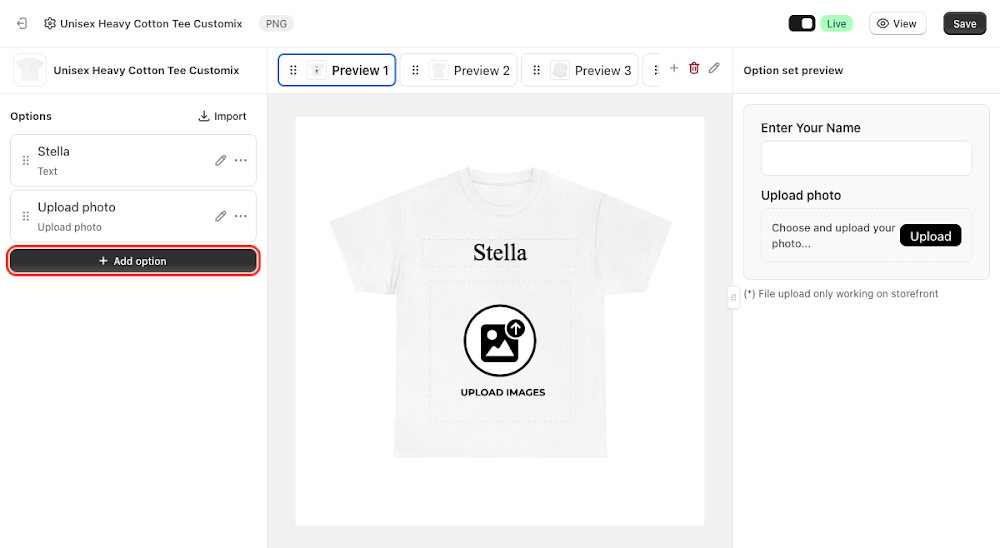
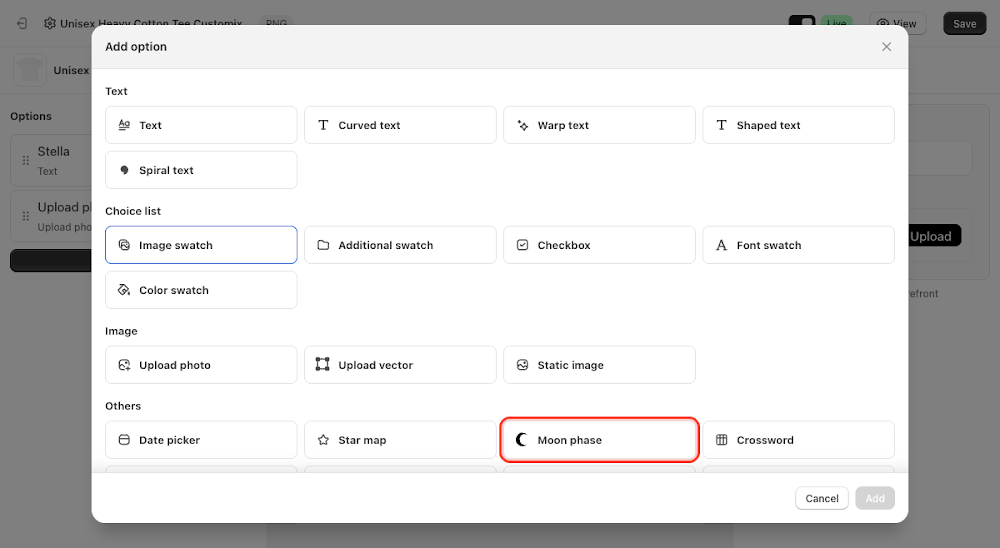
To add it, go to Option sets in the sidebar, open the option set for your product, click Add option, choose Moon phase, then click Add. A moon layer appears on the preview canvas, already rendering a sample phase, and you can drag, resize, or rotate it into position on the product.

Content
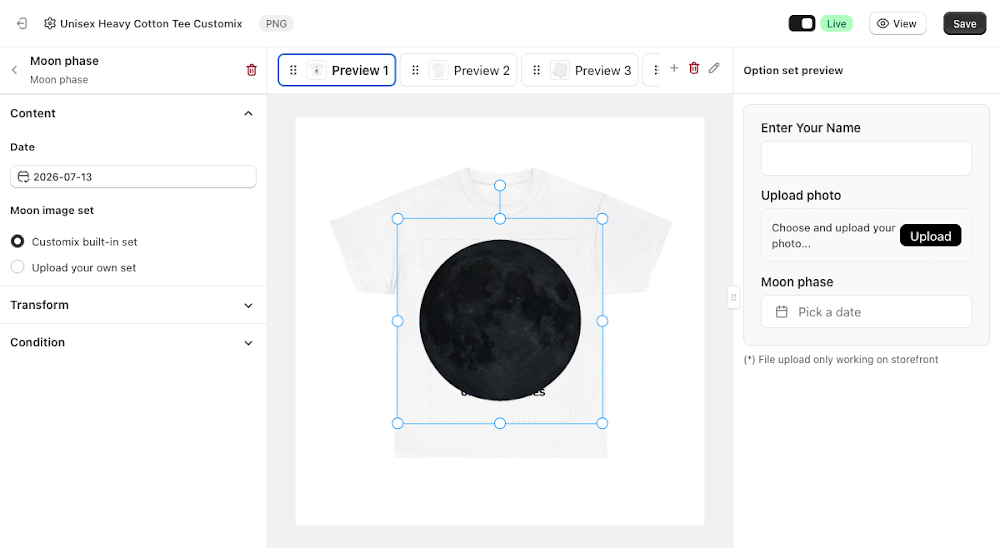
The Content section controls what date the customer picks and which moon artwork is used to represent it.
- Date: a date picker field, defaulting to today's date in the editor preview; on the storefront the customer chooses their own date, and the layer updates to show that date's actual moon phase
- Moon image set: choose between two sources for the moon artwork. Customix built-in set uses Customix's own set of moon phase images out of the box, no setup required. Upload your own set lets you replace the artwork with your own images via Select from folder, one for each of the 8 phases (New Moon, Waxing Crescent, First Quarter, Waxing Gibbous, Full Moon, Waning Gibbous, Last Quarter, Waning Crescent)
⚠️ If you switch to Upload your own set, all 8 phase slots must be assigned before you can save, Customix blocks saving at any partial count. Either fill in all 8 or switch back to the built-in set.

Transform
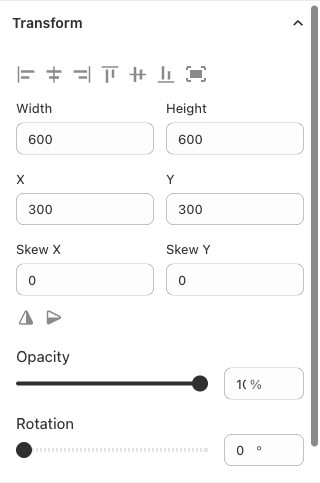
Fine-tune the moon layer's width, height, X/Y position, skew, opacity, and rotation, the same controls available on every other layer type, to nudge it into exactly the right spot on the mockup.
Like most option types, Moon Phase also supports conditions, so you can show or hide it based on another selection elsewhere in the option set. See the Conditional Option Sets guide if you want to set that up.
📌 Don't forget to click Save once you're happy with the setup, and make sure the option set's status is Active (not Draft). Customers won't see the Moon Phase option on your storefront until both are done.
Updated on: 15/07/2026
Thank you!